
Everything you need to plan, post and reply.
Here is what Wammier does today, and what is coming next. Open any part for the details.
Write once, post everywhere
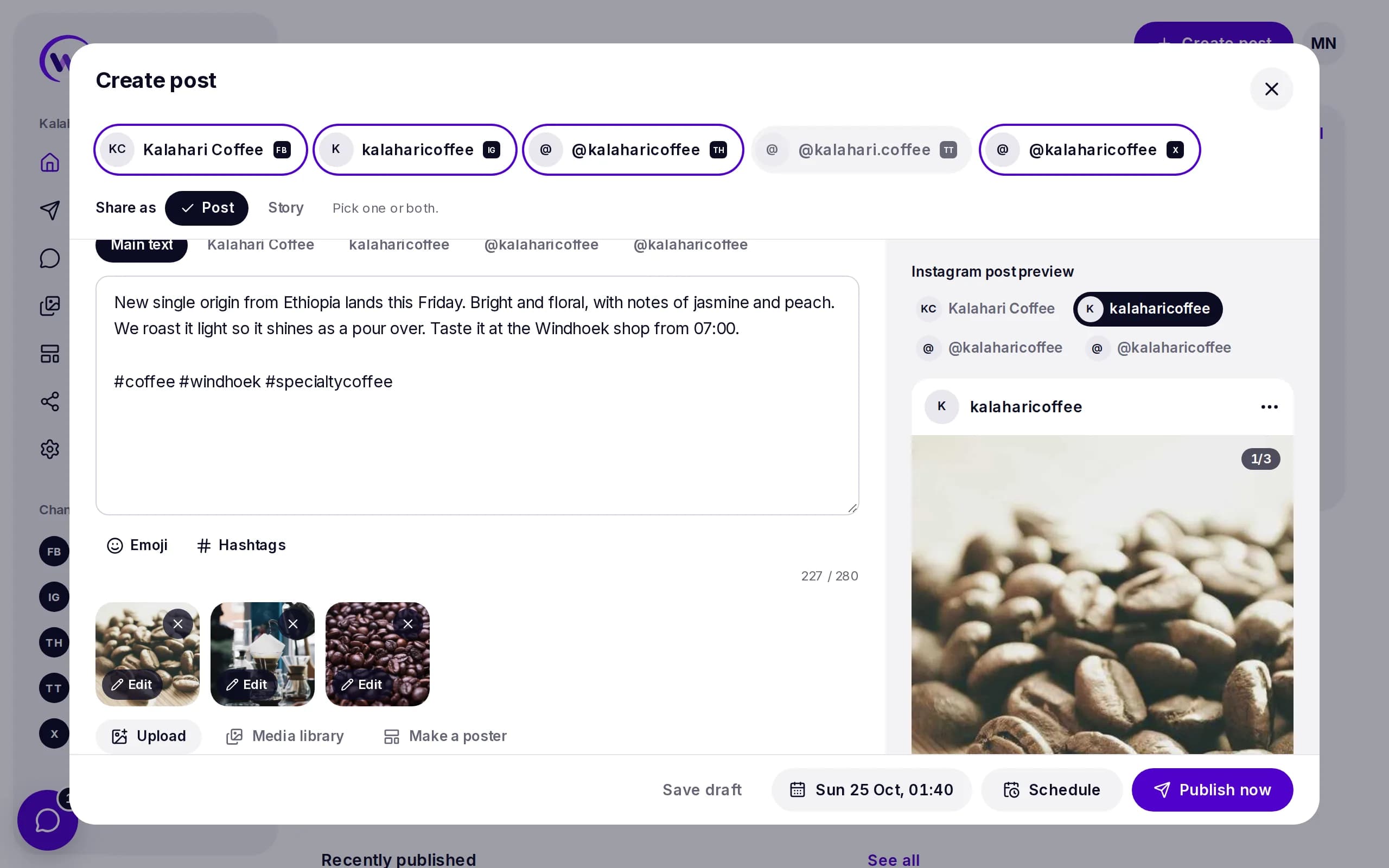
One composer for Facebook, Instagram, X, TikTok, Threads and WhatsApp Channels.
A preview for each network
See how the post looks on each network before it goes out.
Reels, Stories, carousels and threads
Choose the format for each network. Wammier checks the photo and video rules as you go.
Your time zone
Pick a day and time. Wammier posts at that time where your business is.
Every post in one list
Scheduled, drafts, published and failed posts, each in its own tab, with search and a filter for each channel.
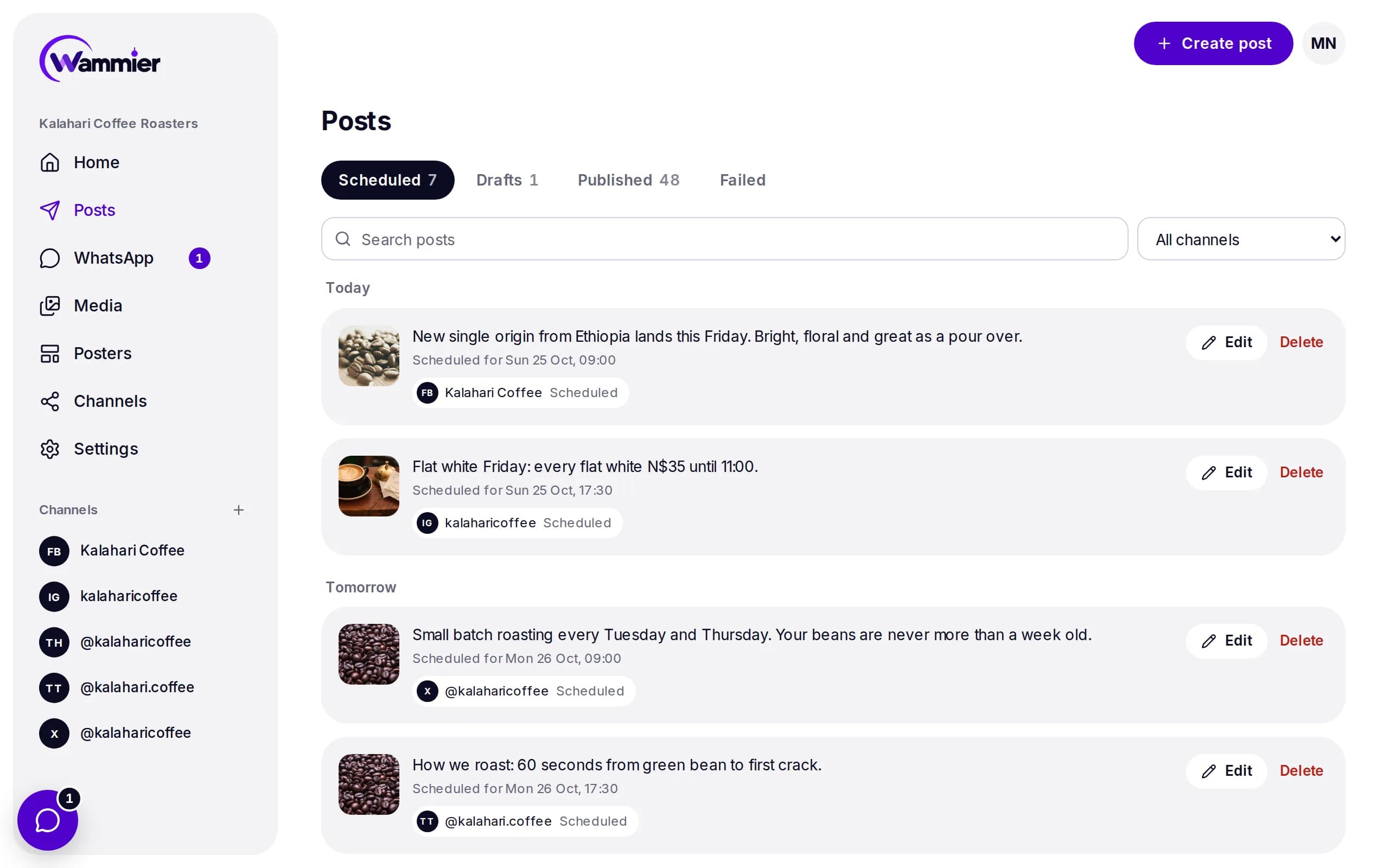
Change, move or post now
Open any post to change it, move it to another time or post it straight away.
Reasons in plain words
When a network says no, you see why and can try again.
Your last 30 days
Home shows what went out, what goes out next and what needs you.
WhatsApp campaigns
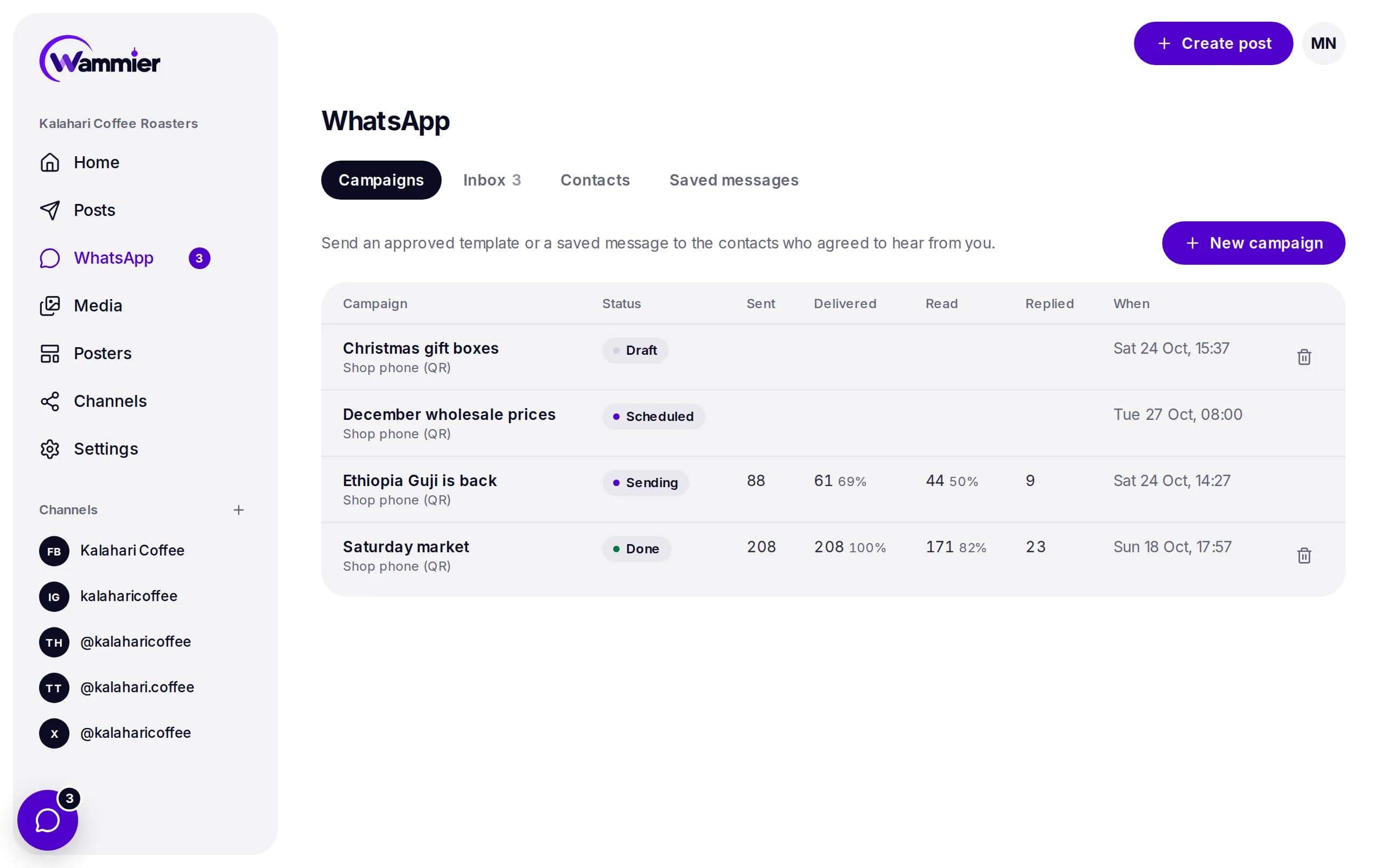
Send a message to the contacts who agreed to hear from you, with the Business API or a phone linked by QR code.
Sent, delivered, read and replied
Follow each campaign as it goes out, pause it or stop it.
A safe pace
Numbers warm up step by step, with a health score that slows or pauses a number at risk.
Send to the right people
Pick a tag of contacts or a WhatsApp group. The same message never goes to someone twice in 7 days.
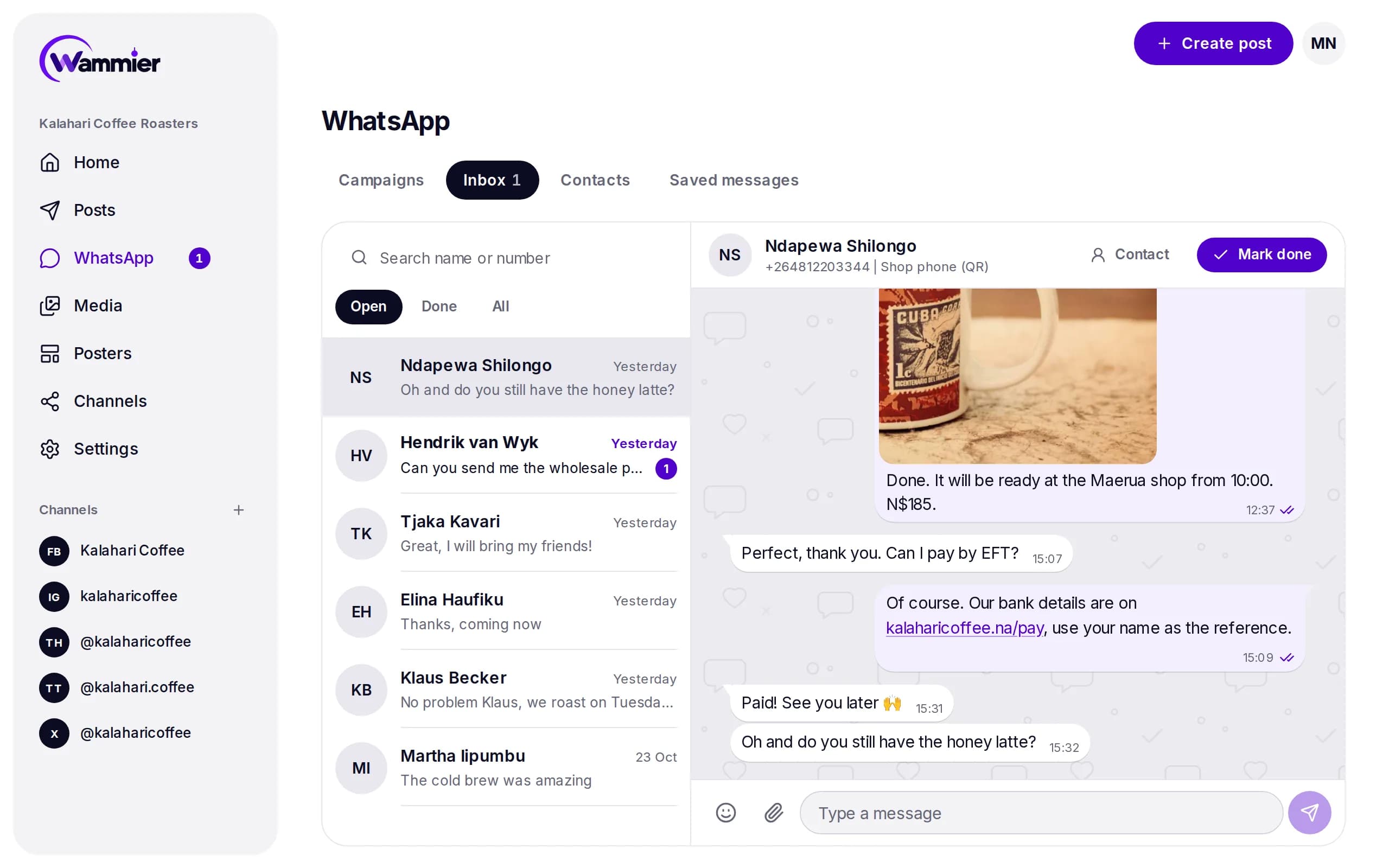
A shared WhatsApp inbox
Every reply lands in one inbox your team works from, on a computer or a phone.
Reply, quote and react
Answer with text, emoji, photos or videos, just like on the phone.
Open and done
Mark a chat done when it is handled, and see what is still open.
Contacts and tags
Import a CSV or a WhatsApp group, tag people and keep track of who opted in.
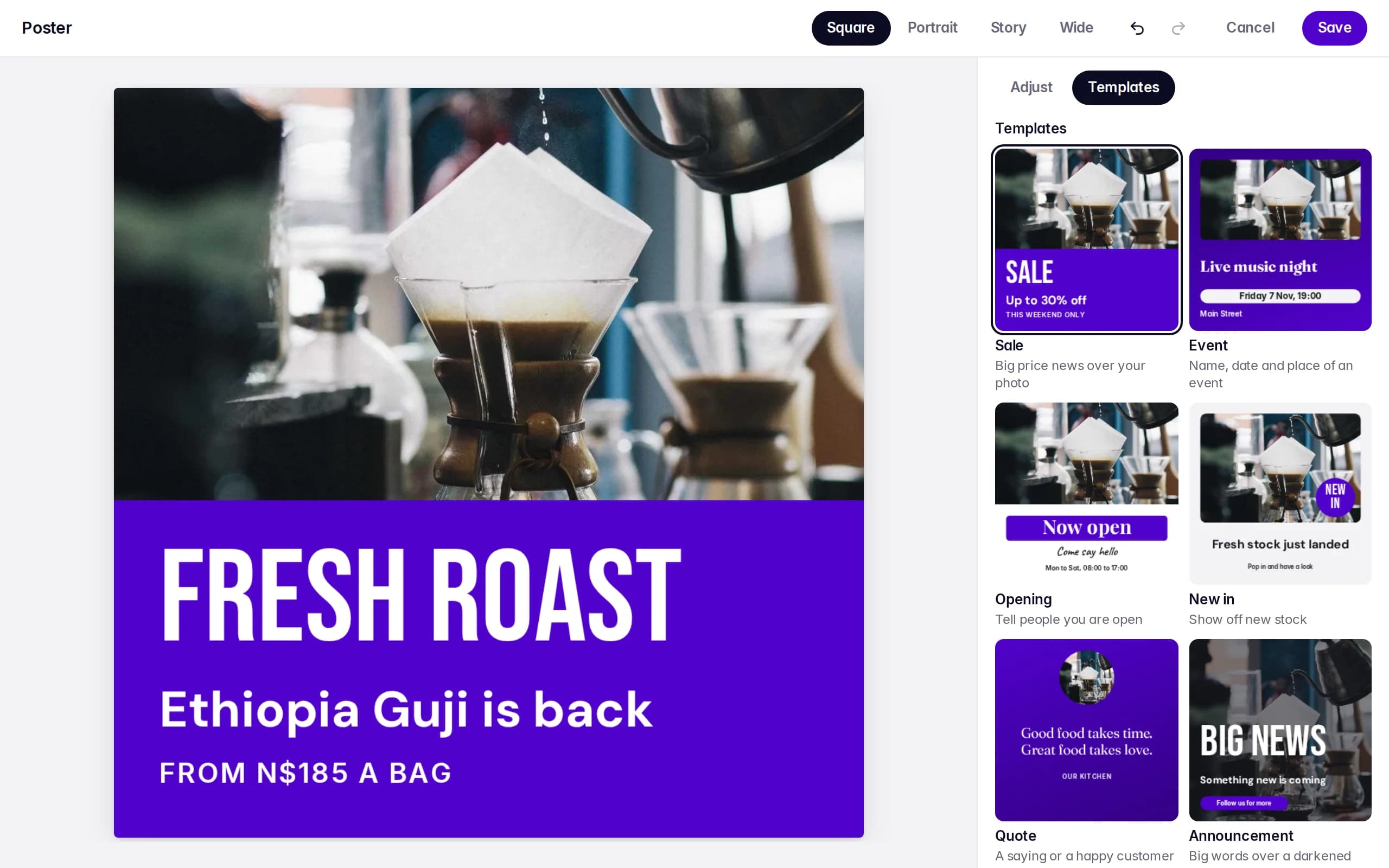
Posters in your business colours
Pick a template, add your photo and words, and save. Your poster is ready in Media for any post.
Six templates
Sale, Event, Opening, New in, Quote and Announcement.
Your colours and logo
Set them once for the business and every template uses them.
Four sizes
Square, Portrait, Story and Wide.
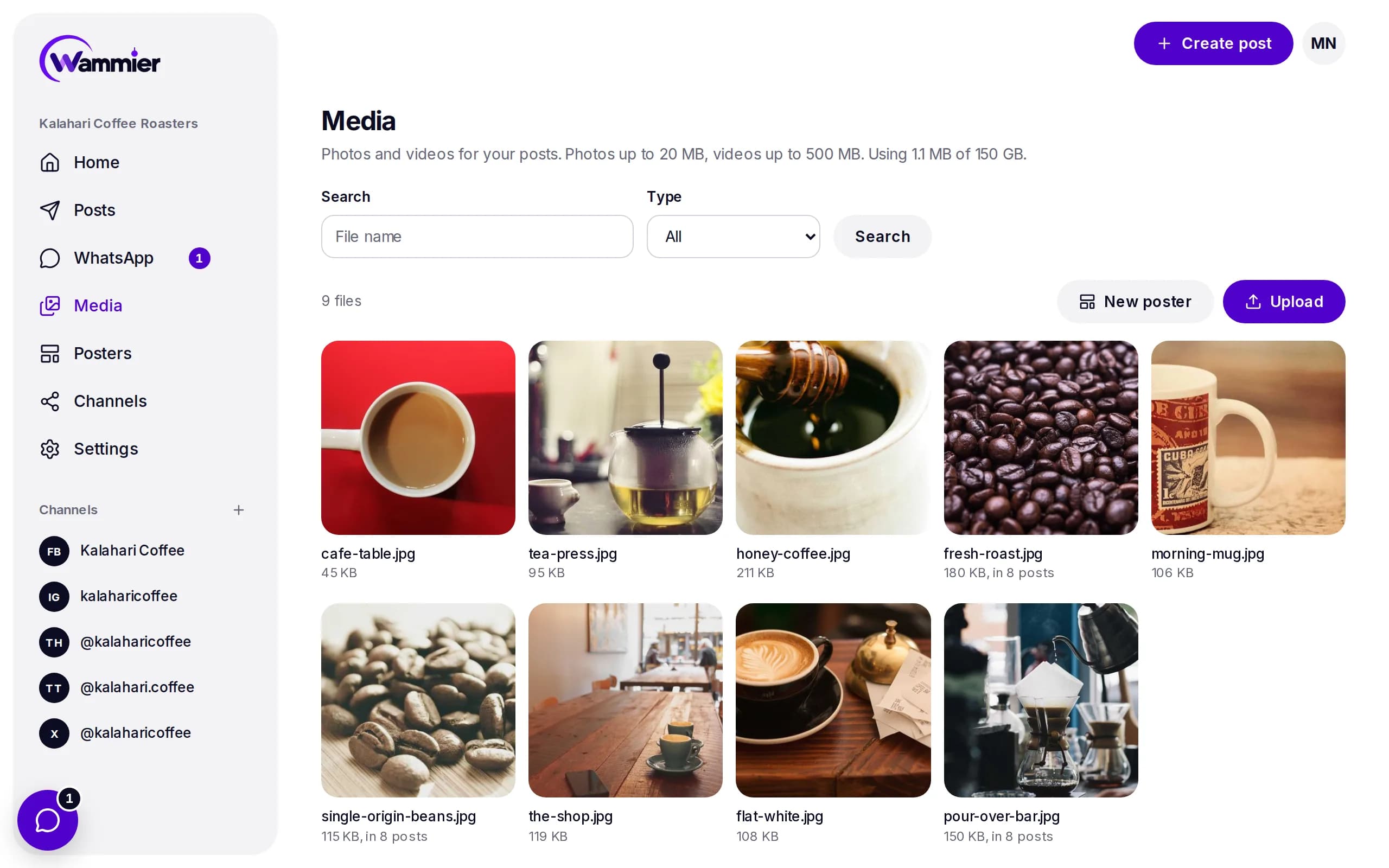
Your photos and videos, ready to use
Upload once and use the same photo or video in as many posts as you like.
Photos and videos
Photos up to 20 MB and videos up to 500 MB, with a full size viewer.
Pick from the composer
Add media to a post from the library without leaving the post.
Work with your team
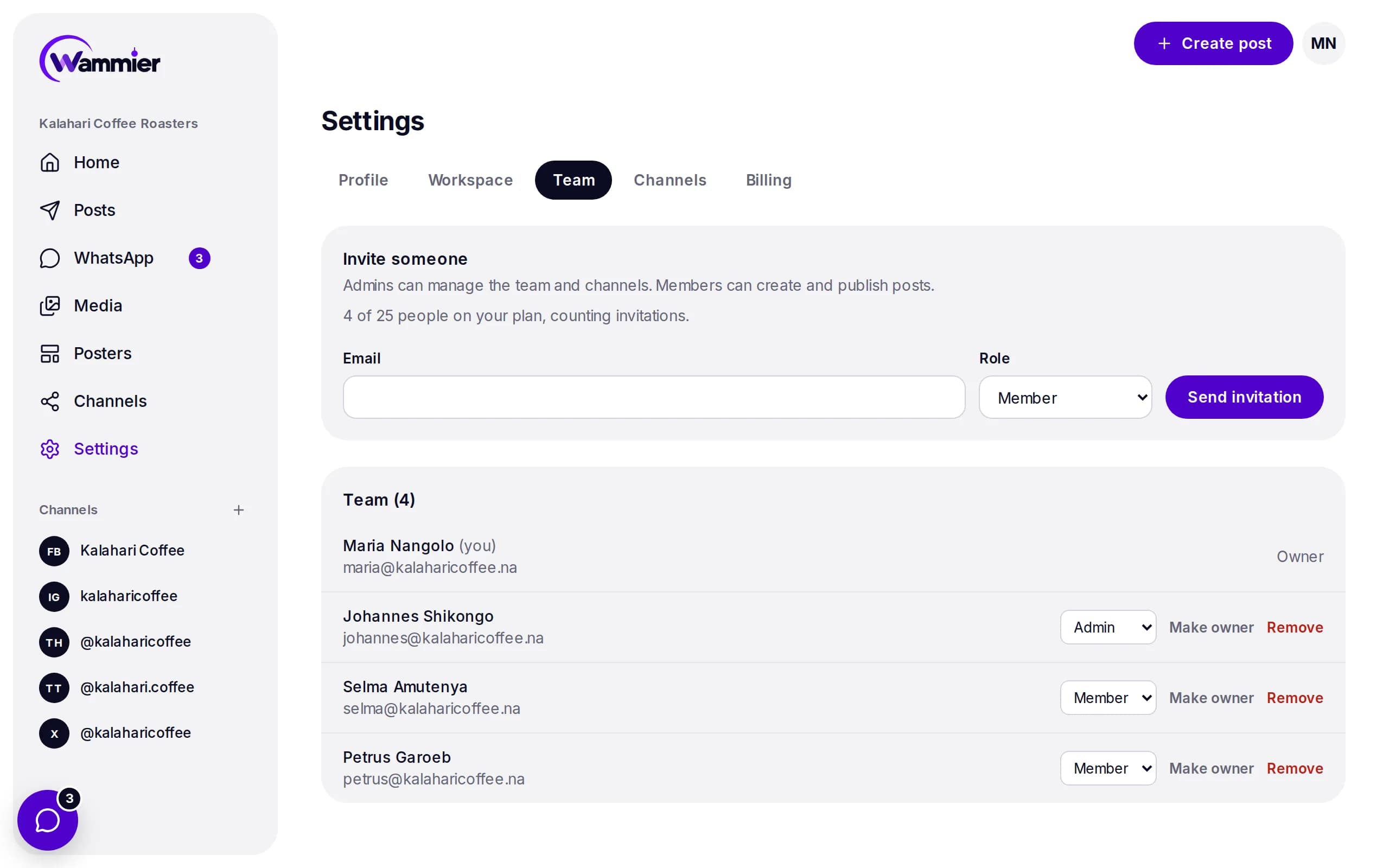
Invite the people who post with you and decide what each person can do.
Owners, admins and members
Owners manage the plan, admins manage the team and channels, members write and publish.
Invite by email
Send an invitation, choose the role, and they join with their own login.
Networks
Pages: text, photos, links, videos, Reels and Stories.
Business and creator accounts: photos, carousels, Reels and Stories.
Posts and threads, with up to 4 photos or one video.
Videos and photo posts, with who can see each one.
Posts and threads, with up to 20 photos or videos.
Campaigns, an inbox for replies, and posts to your WhatsApp Channel.
LinkedIn
Coming soonProfiles and company pages.
Safety
Access stored encrypted
The access each network gives Wammier is stored encrypted.
Disconnect any time
Disconnect a channel and Wammier deletes its access at once.
Nothing without you
Wammier never posts or sends anything you did not write and schedule.
Coming next
We are building these into the same workspace.
- Paid ads with a prepaid balance
- Post results: reach and likes
- Writing help
Start with 14 days of Growth
No card needed. When the trial ends you move to Free unless you choose a plan.