
A shared WhatsApp inbox for your whole team
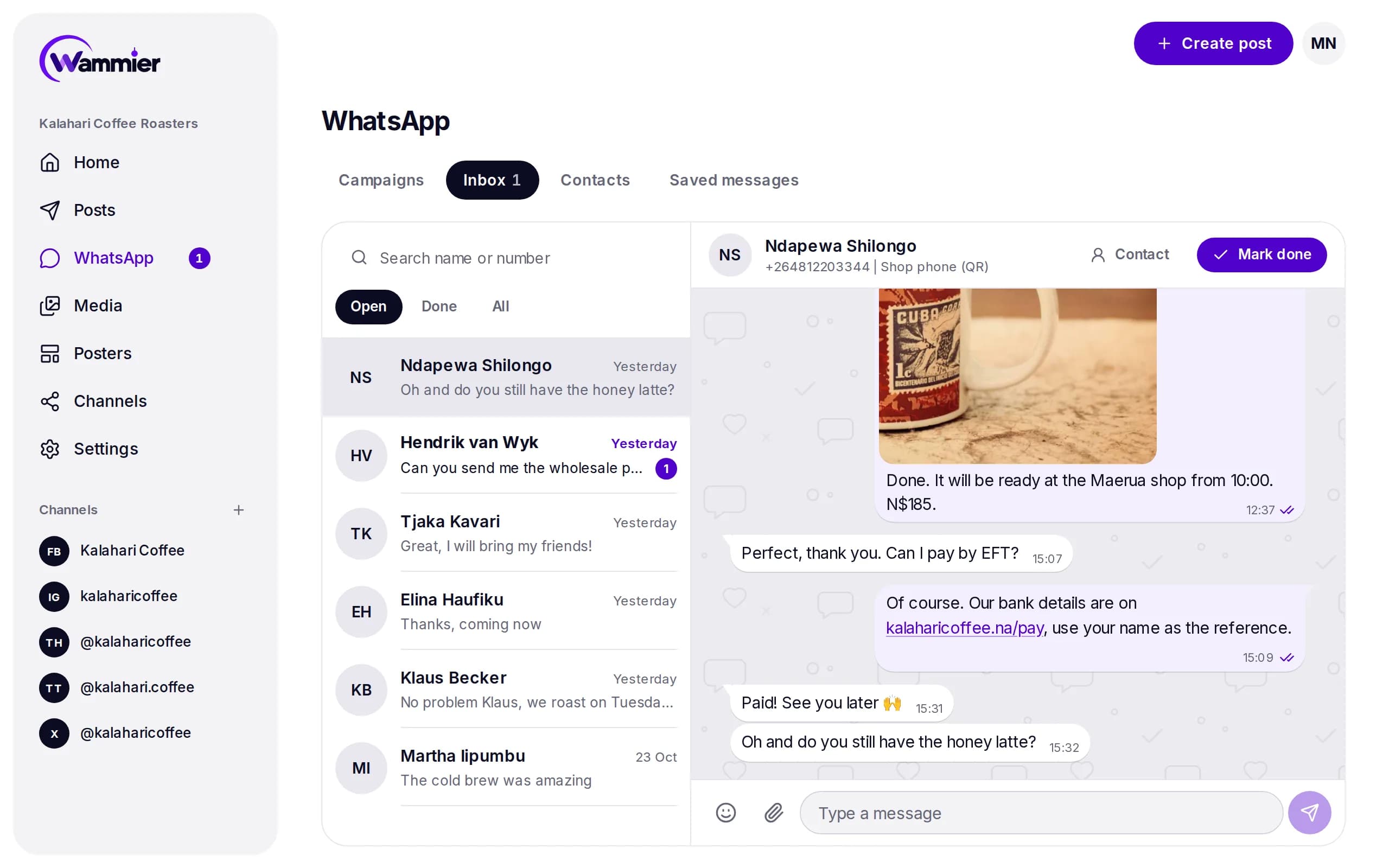
Every reply from every number lands in one inbox. Anyone on the team can answer, from a computer or a phone, with their own login.
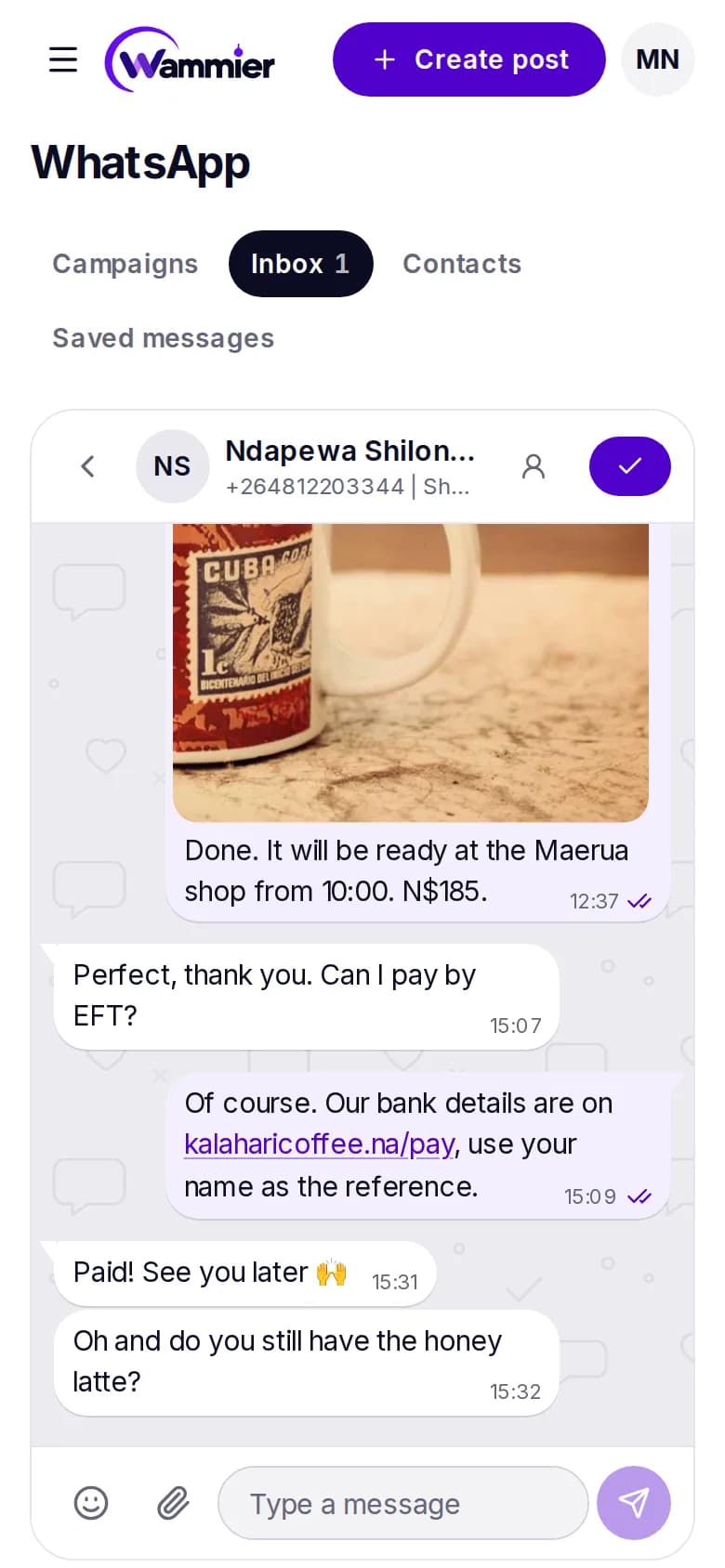
Everything you do on the phone
The chat looks and works like WhatsApp, so nobody needs to learn anything new.
- Reply and quote
- Swipe or tap to quote a message, and answer with text, emoji, photos or videos.
- React
- React to any message with an emoji, just like on the phone.
- Edit and delete
- Fix a message for 15 minutes, or delete it for everyone within 48 hours.
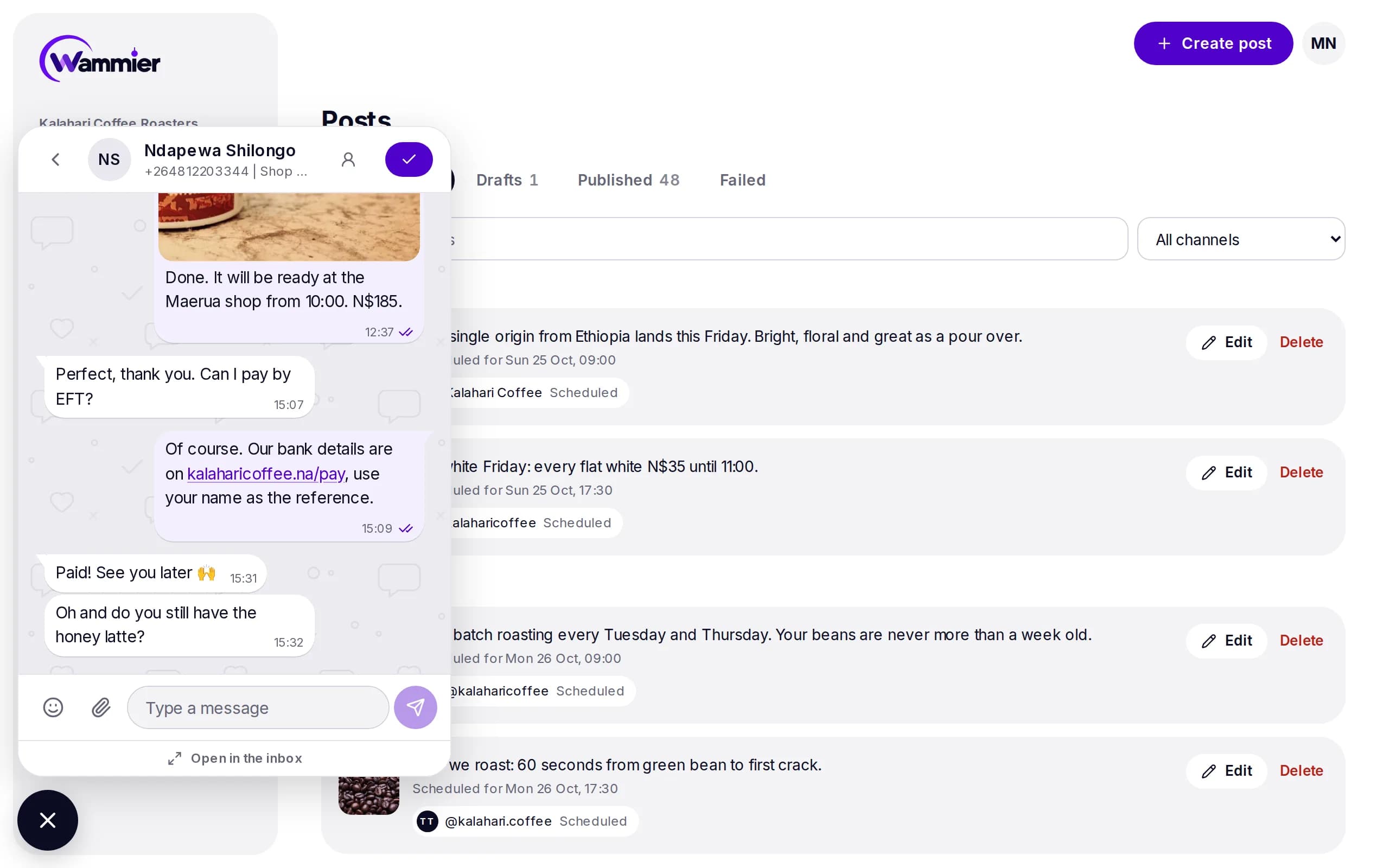
The chat follows you
A chat button sits on every page of Wammier, so you can answer a customer while you write a post.
- Open and done
- Mark a chat done once it is handled, and see what is still open.
- Find any chat
- Search by name or number, with each person's WhatsApp photo and name.
- In step with the phone
- With a QR number, messages you send from the phone show in Wammier too.
- Older messages
- Load older messages from the phone when you need the history of a chat.
Questions
Does my team need to share one phone?
No. Everyone answers from Wammier with their own login, on a computer or a phone. The number stays linked in the background.
Can I send photos and videos?
Yes. Upload, paste or drop a photo or video into the chat, or pick one from your media library.
Are links in messages clickable?
Yes. Links, email addresses and phone numbers in a chat open with a tap.
Start with 14 days of Growth
No card needed. When the trial ends you move to Free unless you choose a plan.