
WhatsApp Channels, campaigns and a shared inbox
Post to your WhatsApp Channel next to your other networks, send campaigns to opted in contacts, and answer every reply from one inbox.
What you can post to WhatsApp
Channel post
A post to your WhatsApp Channel, from the composer.
- Text with one photo or video
- Up to 16 MB, video up to 3 minutes
- Scheduled like any other post
Campaign
A message to the contacts who opted in.
- To tags, picked contacts or groups
- Sent, delivered, read and replied
- A safe pace for QR numbers
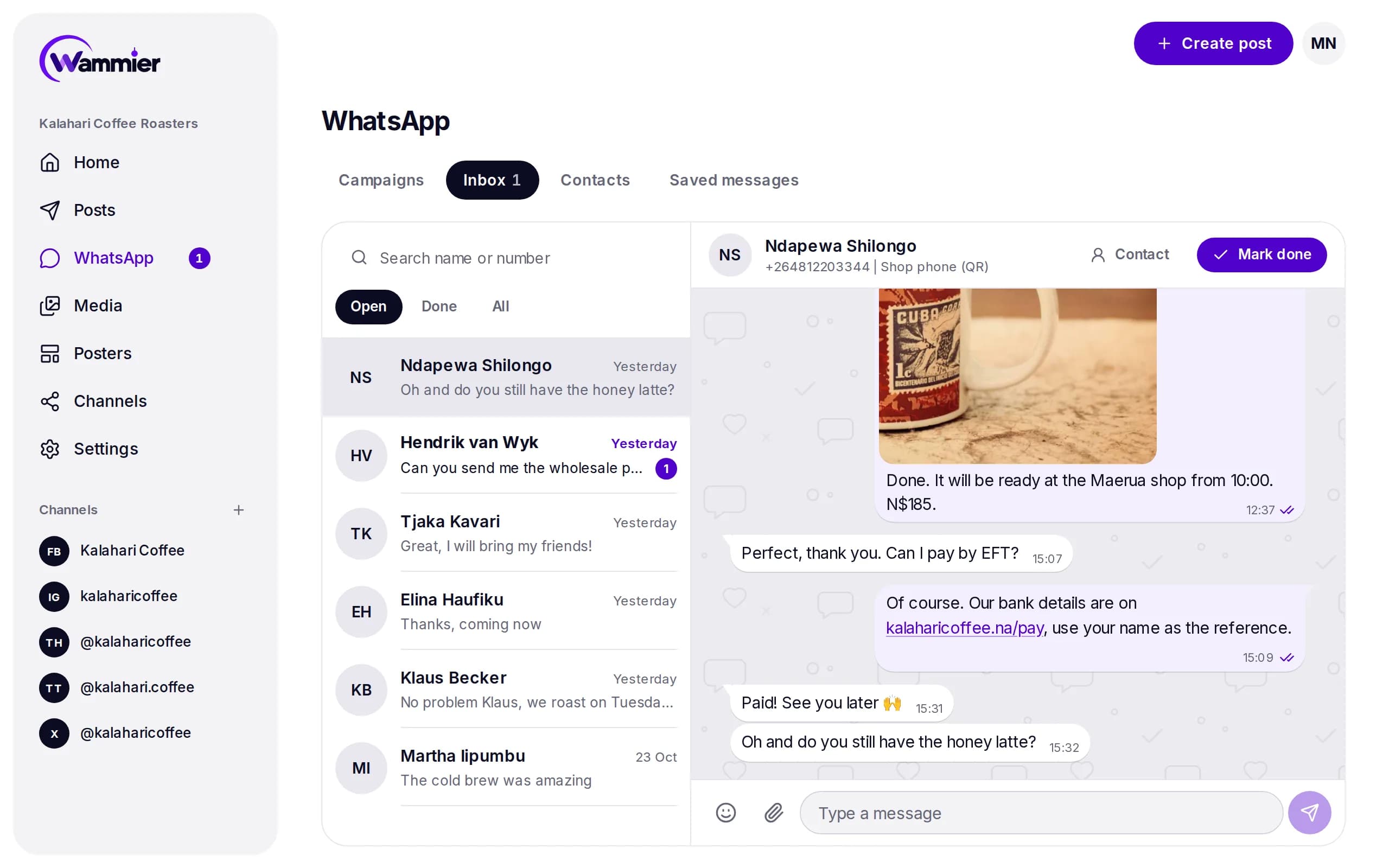
Inbox
Every reply in one place for your team.
- Reply, quote, react, edit
- Photos, videos and emoji
- A chat button on every page
Connect WhatsApp in a minute
- 1
Open Channels in Wammier and add a WhatsApp number.
- 2
Scan the QR code with WhatsApp on the phone, like WhatsApp Web.
- 3
Add your WhatsApp Channel with its link, and it shows up in the composer.
Good to know
- QR or Business API
- Link a phone with a QR code today. The official WhatsApp Business API is opening soon for larger lists.
- Opt ins respected
- Campaigns only go to people who agreed, and STOP is handled for you.
- Health score
- Each QR number warms up step by step, and slows down before WhatsApp would block it.
Questions
Do I need the WhatsApp Business app?
No. Any WhatsApp or WhatsApp Business number can be linked with a QR code.
Can I post to my WhatsApp Channel?
Yes. Add the Channel with its invite link. Only owners and admins of the Channel can post to it.
Will WhatsApp block my number?
Wammier sends at a safe pace and pauses a number whose health drops, but no tool can promise WhatsApp never blocks a number. For large lists use the Business API.
Start with 14 days of Growth
No card needed. When the trial ends you move to Free unless you choose a plan.