Make a poster for your next post in minutes
Pick a template, drop in your photo and words, and Wammier fills in your business colours and logo.
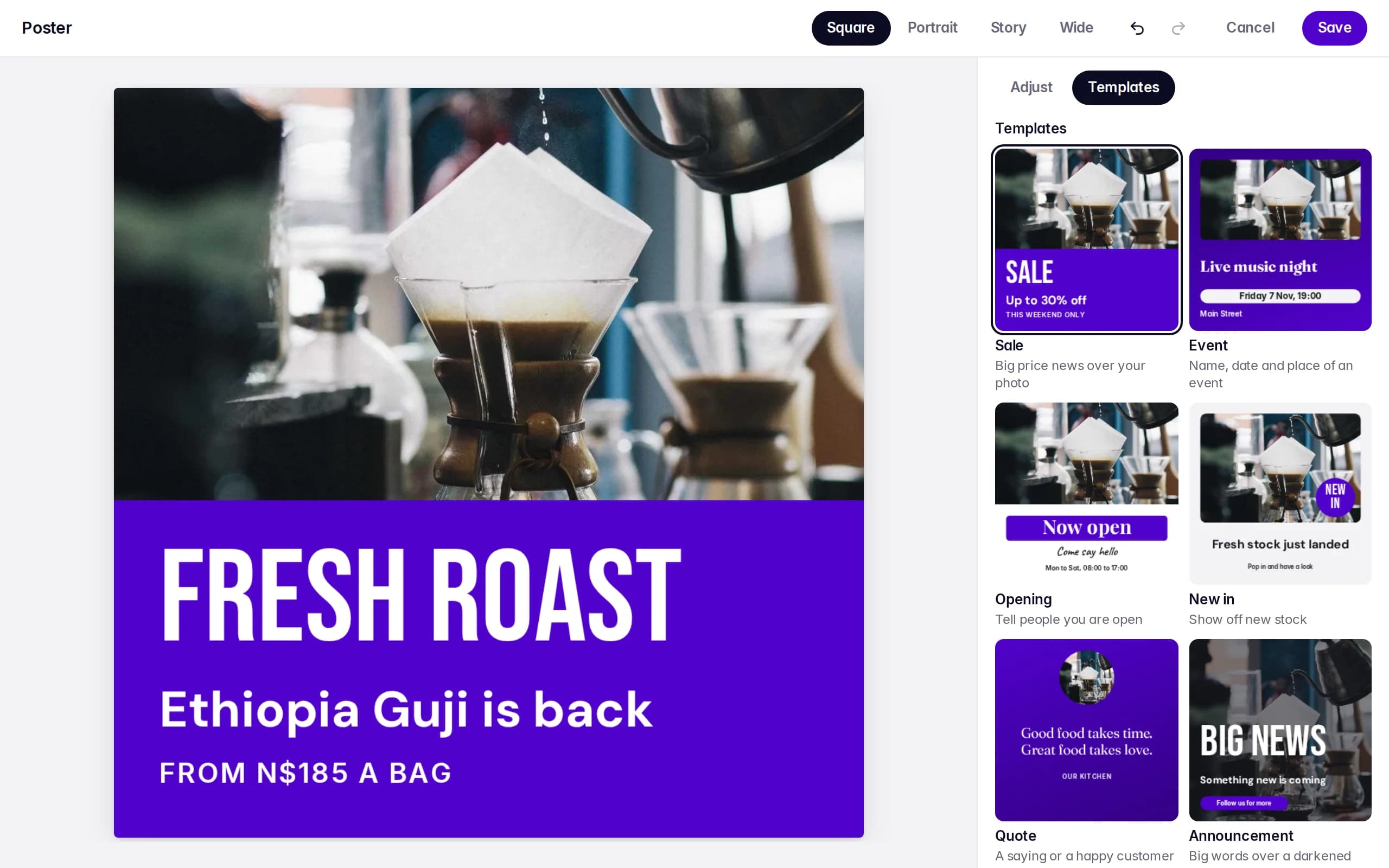
Templates for what businesses post
Sale, Event, Opening, New in, Quote and Announcement. Each one is laid out for your photo and changes with the size you pick.
- Six templates
- Start from a layout that already works, then change anything you like.
- Four sizes
- Square, Portrait, Story and Wide, for every network and for WhatsApp.
- Your colours and logo
- Set them once for the business, and every template uses them.
Edit words, photos and shapes
Type your words in the panel, drag things where you want them, and undo any step.
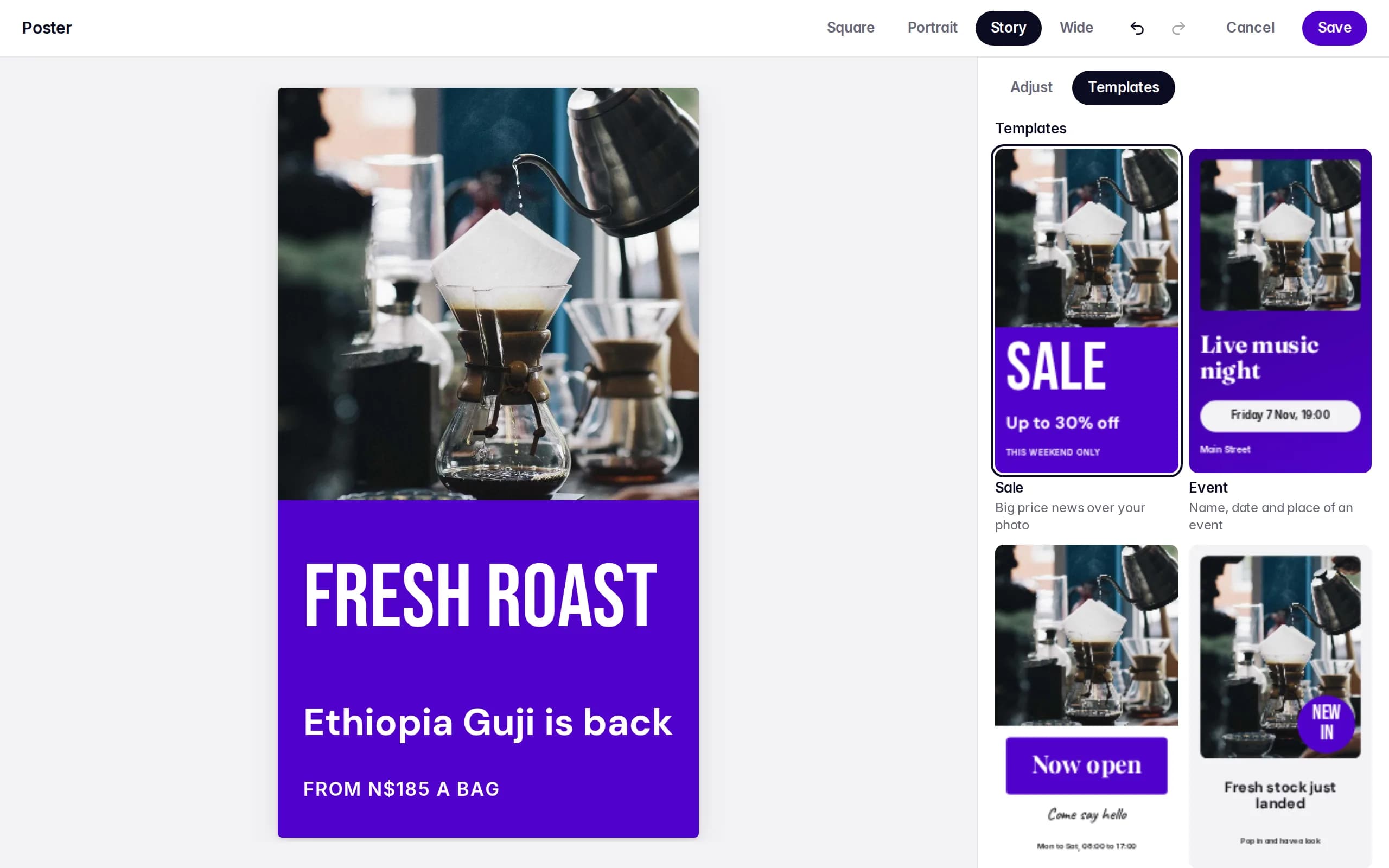
- Text
- Fonts, bold, capitals, spacing and colour for each line.
- Fix a photo
- Crop it, turn it and change its light, without touching the original.
- Logo and shapes
- Add your logo, a badge or a shape behind your words.
- Ready to post
- Save and the poster is in Media, or make it straight from the composer.
Questions
Do I need design software?
No. The poster editor works in your browser, on a computer or a phone.
Where does my poster go?
It is saved to your Media as a photo, ready for any post or WhatsApp campaign. You can open it again later to change it.
Can I use my own photos?
Yes. Use any photo in your media, or upload one while you make the poster.
Start with 14 days of Growth
No card needed. When the trial ends you move to Free unless you choose a plan.